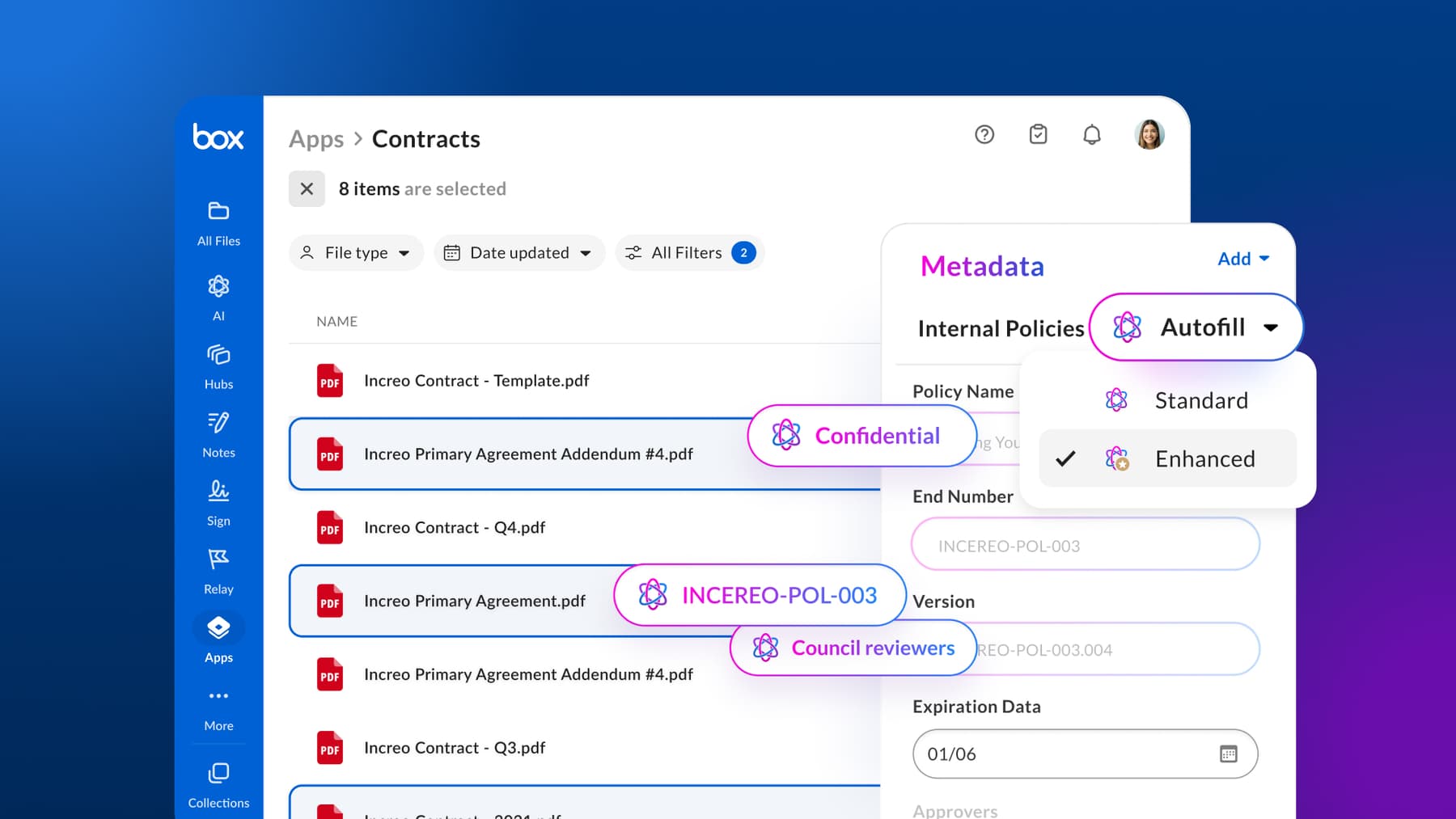
Enterprise content management (ECM) is a set of defined strategies, processes, methods, and tools designed to allow your organization to manage the entire lifecycle of its content. This content includes everything from contracts and scanned images to documents and spreadsheets. Historically, an ECM strategy would help teams ingest, store, organize, and deliver critical content to customers, partners, and business stakeholders.

ECM has rapidly evolved as various new forms of content and technology have been introduced, including the widespread adoption of AI by enterprises. This evolution gave rise to a new category: Intelligent Content Management (ICM) — a solution that uses the power of AI and other advanced technologies to enable businesses to digitally manage their information, eliminating tedious, time-consuming tasks.
Let’s explore the types and benefits of an ECM strategy (as well as the challenges), and how transitioning from an ECM system to an ICM platform increases team productivity, automates workflows, and minimizes information-search expenses.
Types of enterprise content management
ECM systems and practices provide a range of digitization services. Here are three different types of ECM.

Web content management
Web content management (WCM) is a process or system used to create, organize, and control the look of a website. If your organization has strict brand guidelines or a relatively complex website, you can use a WCM strategy to allow key personnel to modify, update, arrange, and publish content that follows your preferences.
Collaborative content management
A collaborative content management solution empowers multiple users to work together efficiently on creating, organizing, and sharing content. This type of ECM can be useful for organizations that manage projects involving multiple stakeholders, such as product development initiatives, legal case management, or content creation projects.
Secure collaboration tools help your people work together on content while keeping track of the most current version and staying aligned with updates.
Transactional content management
Businesses can use transactional content management (TCM) to capture content from multiple channels, classify and store it, and create an automated workflow so the right users receive the content they need at the right time.
TCM helps organizations that frequently use these various types of content, including paper documents, records, and digital files. This solution allows your users to work seamlessly with other databases and apps to ensure all content is available to the users searching for it. TCM also makes it easier for teams to delete content when it’s no longer needed.
5 components of enterprise content management

Before creating an ECM implementation project plan, take the time to understand its building blocks. Here are the five essential components of ECM.
1. Capture
Managing your entire organization’s content with ECM begins with capturing and importing information into digital storage, like a cloud server. This process involves converting paper documents, research reports, contracts, correspondence, and invoices into electronic formats. It also ingests digital documents into the ECM platform, so your team can store, access, and manage all content, whether physical or digital, efficiently.
You can use a few methods to accomplish this:
- Scan paper documents
- Use electronic forms from the point of creation
- Automatically fill and categorize documents from shared devices and networks
Regardless of how you capture and collect your content, using a scalable cloud data storage solution will eliminate many obstacles you experience with paper documents, like slow distribution, labor-intensive duplication, misplaced originals, and the time-consuming process of scanning and validating documents. It also helps minimize errors and the risk of incomplete data extraction.
2. Manage
The management component of ECM refers to how your organization handles, connects, modifies, and employs every bit of captured content throughout the entire lifecycle. You may use WCM, records management, collaborative cloud software, or a document management platform. Enterprise content management tools enable you and your team to enhance the organization, retention, and security of all your important business information.
3. Store
Securely storing your information is critical in any business, whether you use a paper or digital system. An ECM solution lets you create, view, and edit content, and it works well if your focus is basic content management and storage.
Unlike a paper system, storing your documents in a flexible digital solution makes it easy to:
- Transfer items to different folders in seconds
- Create subfolders for more organization
- Automate the process of backing up your files online
- Reduce the time and complexity of managing content that requires a retention schedule
- Restrict access to sensitive content, aligning with security standards
4. Preserve
Preserving your content goes beyond simply storing it securely. Proper preservation also maintains content integrity, accessibility, and usability over time. Using a digital platform with features that can help you establish ECM, you can preserve files for the long term.
How organizations preserve content varies, but with an advanced platform, you can ensure regulatory compliance by maintaining important information to account for all necessary items. If your organization undergoes a government audit, for instance, it’s critical your essential business documents, agreements, and correspondence are right where they need to be instead of being misfiled or lost.
5. Deliver
In the final component, your organization will be able to successfully and securely deliver the right data and content to end users whenever they need it, simplifying access to unstructured data — whether through search, content approval processes, or real-time collaboration.
ECM offers a strong foundation for content management, enabling your organization to not only store and manage content but also streamlining the process of sharing and accessing content.
Following ECM best practices
Now that you grasp the foundation of ECM strategy planning, let’s review some best practices to keep in mind.

1. Take a holistic approach
Anytime you employ a new strategy, your team needs strong leadership to smooth out new processes. Using a top-down approach, you can start by defining new business objectives with management and executives. Work with leadership to restructure resource allocations and budgets before launching your ECM strategy.
When you start at the top and work your way down, you can improve team collaboration as you make continuous enhancements. This process can be useful for newer or inexperienced team members who may not have fully adopted your organizational goals yet.
2. Involve stakeholders
To smoothly transition from a paper-based or inefficient digital system to a cloud-based ECM platform, involve all key stakeholders in your strategy.
Addressing your objectives early on allows various business partners and team members to continuously improve your ECM system and define critical success factors for achieving goals. Your organization can also address the needs of stakeholders during the first phase of implementation to secure their buy-in to your roadmap.
3. Develop a thorough categorization system
Since an ECM strategy is focused on keeping your content organized, it makes sense to prioritize categorization. Once you assign a team to develop and implement your roadmap, discuss how and when information categories matter by creating a content architecture that meets your unique business needs.
When you employ your strategy through the right digital solution, users can associate specific content categories with current and prior tasks. Work with your team to establish:
- File plans
- A controlled vocabulary of related terms
- Security and records-management criteria
4. Facilitate effective communication
No matter what new strategy, plan, method, technology, or schedule you want to adopt into your workflow, maintaining open communication throughout your ECM implementation can prevent your team from feeling overwhelmed or surprised at this new strategy.
From the day you decide to implement an ECM strategy, inform your key group of individuals — perhaps the head of each department. Then, as you slowly get everyone on board, you can increase your communication by distributing information down your company’s hierarchy so everyone knows about the new changes.
Challenges and benefits of enterprise content management
While implementing an enterprise content management system through a digitized platform has plenty of advantages, it’s important to take a holistic view of the approach. Look for any gaps in your strategy or technology that could be improved by implementing more advanced forms of content management. Benefits and challenges of ECM include:
| Aspect | ECM benefits | ECM challenges |
| Security and compliance | ECM implementation best practices help your organization lower the risk of security incidents or regulatory violations, especially by using a cloud platform with built-in industry compliance for HIPAA, GDPR, CCPA, FINRA, and other standards. | Traditional ECM systems offer limited automation, which can leave vulnerabilities in securing sensitive information. |
| Costs | Using a digital repository, you can reduce costs associated with physical storage, printing, and document retrieval. It also minimizes the need for paper supplies and shipping. | Transitioning to digital documents reduces physical storage space and the quantity of paper and supplies. However, you’ll still incur operational expenses with ECM due to managing software updates, ensuring compliance, and maintaining data integrity. |
| Productivity | ECM streamlines access to content, making business processes more efficient and minimizing overhead. It’s much easier and faster to share files with your clients, collaborate on documents, and find information. | ECM relies heavily on manual processes, which slows down productivity by requiring employees to spend time on tasks like categorizing, tagging, or searching for content. |
| Content accessibility and recordkeeping | According to Gartner, 47% of digital workers struggle to find the information they need to do their jobs. ECM makes it easier for you and your team to keep your documents and records accessible and organized. | ECM lacks the capabilities to simplify file location, enable teams to ask questions across stored documents, and create content hubs to organize information for specific projects and departments. |
| Space and organization | By reducing clutter and increasing accessibility and visibility, you can save your team time and make it easier for them to cross-reference documents, archive information, and eliminate repetitive tasks like re-entry. | As your organization grows, you’ll need a way to keep up with retention schedules, archiving, deleting, and digital decluttering. ECM becomes inefficient as content volume increases, requiring manual efforts to manage content over time. |
ECM in the cloud has evolved into ICM
ECM helps businesses keep content at the core of their digital transformation. However, many ECM systems are outdated, expensive, and complex. As a result, these platforms stop short of helping companies truly reimagine work.
By transitioning from ECM solutions to Intelligent Content Management, you can save money and harness the power of AI across content workflows.

Key benefits of ICM include:
- AI-powered content discovery: ICM uses advanced AI automation to allow users to locate and summarize content instantly, while traditional ECM systems often require manual searching and time-consuming content reviews
- Advanced security measures: Frictionless security controls like document encryption, advanced authentication, and granular permissions help protect sensitive data from unauthorized access
- Centralize content in one place: Reduce costs associated with implementing additional tools
- AI-driven workflow automation: Reduce the burden of repetitive tasks with streamlined and intelligent tools that power business processes
- Deliver precise search results: Maintain better management of high-value work data with retrieval-augmented generation (RAG) and metadata;ICM incorporates RAG to enhance search capabilities
- Content generation: ICM enables real-time content creation using generative AI, while ECM primarily focuses on managing existing content
Using an ICM platform enables content to flow seamlessly between your partners, teams, and customers without compromising on compliance and security.
Benefits of ICM platforms
Whether implementing your ECM plan for the first time or upgrading to an Intelligent Content Management system, you need a strategy to ensure everyone on your team is on the same page and has a consistent idea of how you will streamline your future processes.
ICM typically offers features that let you create a custom strategy, keep all your unstructured content in one place, and maximize ECM’s benefits. These solutions help your organization:
- Provide access to content for viewing, co-editing, or sharing where needed, including offline and via mobile devices
- Speed up workflows with AI content discovery, generation, summarization, and more
- Enhance data protection with secure AI principles
- Enabledocument version control
- Track every action taken regarding content
- Integrate with core business applications
- Facilitate audits and track compliance
- Increase team productivity and collaboration
- Ensure a single source of truth when it comes to content
Taking control of your content lifecycle means having increased visibility from creation to retention and disposition. By using features like file locking, encryption, password protection, and granular access controls, you can stay on top of all your content.
Why any enterprise content management strategy needs a refresh
An enterprise content management strategy considers the organizational advantage of managing content and information flows across an enterprise. This strategy relies on users accessing an integrated, shared platform that serves as a gatekeeper for maintaining the access permissions to all the data stored within it.
Generally, ICM and ECM strategies can address:
| ICM strategy | ECM strategy |
|
|
ECM platforms rely on manual processes like sorting, indexing, and reviewing, which slows down efficiency and increases the risk of errors. So, if you’re creating or rethinking your content management strategy, consider adopting an ICM solution that helps you fully capitalize on your content, especially as you scale or need efficient capabilities for managing information across teams and departments.
Should you create an ECM roadmap?
Developing an ECM roadmap can enhance your organization’s ability to manage content effectively — whether that means meeting compliance or streamlining workflows — but its success depends on evaluating existing systems, as not all solutions are designed to achieve specific business objectives.
The first step to developing an effective strategy is generating an ECM roadmap to define your goals and plans (however, consider starting with an ICM solution to bypass the manual processes, inefficiencies, and scalability challenges associated with ECM).
Here are the three critical steps for creating your roadmap.

1. Perform a content audit
Conducting an audit of your organizational content involves identifying how your team is currently naming, storing, and sharing files across and outside your organization. This includes content within network file shares and formally defined databases.
To perform a content audit of your existing processes, communicate with your team about:
- Categorizing criteria
- Assigning file and folders names to items
- Using naming schemes that support underlying organizing principles
- Instituting related and relevant terms to organize documents
2. Document your organization’s content lifecycle
Next, discuss with your team how you define your content lifecycle, from work-in-progress documents to published files. What will that process look like when you migrate content to the cloud?
To start, you’ll need to list the roles and responsibilities of individuals who create and modify certain documents. Then, identify the tasks and activities required to finalize the content. Determine how you will file, store, and categorize your content for long-term retention once it’s published. You can go back to your document audit trail from step one to help determine relevant terms for organizing your files.
Lastly, your organization can focus on clarifying your archival process. How does content age in your company? What happens to drafts? What is the minimum or maximum amount of time you need to keep a piece of documentation before it can be archived or deleted? Add these definitions to your ECM strategy document, so you can ensure consistent handling of content throughout its lifecycle.
3. Identify regulatory requirements and operational risks
To develop an ECM strategy and roadmap (or revamp your strategy with ICM), you’ll need to identify guidelines and mandates for content governance. Consider user security, authentication, compliance, and other requirements for keeping your data secure. Determine which users will have access to various types of content and what level of content access they’ll have, like viewing, modifying, creating, and deleting capabilities.
Consider restricting new team members to view or read-only access so they don’t accidentally change or delete your data until they become more familiar with your strategy.
Box enterprise content management FAQ
What features should an enterprise content management platform include?
A strong enterprise content management platform combines secure file storage, version control, real-time collaboration, workflow automation, AI-powered search, and compliance controls in one place. Teams need to co-author documents, route approvals, extract key data from contracts and forms, and retrieve governed answers — all without switching tools.
The best platforms:
- Connect to the productivity and line-of-business apps your teams already use
- Give IT centralized visibility over how content is accessed and used
- Support AI agents that operate within existing permissions, so sensitive content stays protected
- Scale from individual workflows to enterprise-wide automation without adding governance rise
What is Box and how does it work as an enterprise content management solution?
Box is the leading Intelligent Content Management platform that securely connects your organization's content to AI. It centralizes your unstructured data — contracts, policies, reports, onboarding documents, and more — in one governed file system.
Teams collaborate in real time, automate document-heavy workflows, and get AI-generated answers grounded in the content they're already authorized to access. Box connects to 1,500+ enterprise apps, supports deployment across web, desktop, and mobile, and gives IT full administrative control over permissions, governance, and compliance from a single console. Box AI never trains on your content, so proprietary information stays protected while teams move faster on every knowledge-intensive task.
How does AI improve document management for enterprise teams?
AI improves enterprise document management by surfacing answers, summaries, and insights directly from your content — without requiring employees to open and read every file manually. Instead of searching across disconnected repositories, teams ask questions and get responses grounded in the documents they're authorized to see. AI also accelerates drafting, extracts key data from contracts and forms, and surfaces related documents and prior versions automatically.
The result: faster decisions, less duplicate work, and knowledge that was previously buried in documents becomes immediately actionable across the organization. The critical requirement is that AI operates within existing access controls — so the right people get the right answers, and sensitive content stays protected.
How does Box AI help enterprise teams find answers faster across large document libraries?
Box AI lets teams ask questions directly across their enterprise content and receive accurate, permission-aware answers — without opening individual files or rebuilding search workflows. With Box Hubs, teams access curated AI-powered content portals where employees query specific document sets — such as HR policies, legal contracts, or sales materials — and get grounded responses in seconds. Box AI uses only content within the Hub scope to respond, so answers stay accurate and sensitive files stay protected.
Vornado Realty Trust used Box Hubs and Box AI to answer tenant inquiries 30% faster. Argonne National Laboratory used Box Hubs and Box AI to cut literature reviews from 20–30 hours to 30 minutes and achieved 85% case deflection for routine inquiries. Box AI never trains on your content, so proprietary information stays protected while teams move faster on every knowledge-intensive task.
How can enterprises automate document-heavy workflows without rebuilding existing processes?
Enterprises automate document-heavy workflows by connecting AI-powered extraction, intelligent routing, and approval automation to the content they already manage. The right platform captures key data from contracts, invoices, onboarding packets, and claims forms automatically — then triggers downstream workflows based on that extracted metadata, without manual re-keying.
Teams build these workflows once and replicate them across departments, regions, or business units. The most effective platforms use agentic orchestration to coordinate AI agents, people, and enterprise systems across complex, multi-step processes — and because AI operates within existing permissions, governance doesn't have to be rebuilt from scratch.
Can Box automatically extract data from contracts, invoices, and other business documents?
Box Extract automatically pulls key fields — dates, amounts, parties, obligations, IDs, and custom metadata — from contracts, invoices, claims forms, onboarding packets, and more. Extracted data is saved as metadata natively in Box, where it triggers downstream workflows in Box Automate, routes files to the right teams, and powers dashboards and no-code apps without manual entry.
Congo Brands used Box Extract to review contracts 7x faster, reducing review time from 15 minutes to under two minutes per contract. Barnett Capital sped up underwriting 60x using metadata extraction. Valmark Financial Group increased annual data extraction from 4,000 to more than 240,000 data points and cut manual processing time by up to 48 hours on select tasks. Box Extract supports advanced OCR, the latest AI models, and agentic approaches to handle variable formats and file types at enterprise scale.
What is intelligent document processing and how does it scale across an enterprise?
Intelligent document processing combines AI, OCR, and workflow automation to extract structured data from unstructured documents — contracts, forms, invoices, case files — and route that information to the right systems and teams automatically. At enterprise scale, it replaces manual review and re-keying with repeatable, automated pipelines that handle variable formats, high document volumes, and multi-step approval chains.
The most advanced platforms use agentic orchestration to coordinate AI agents, people, and systems across complex, multi-step processes. Teams build a workflow once and deploy it across every department or business unit — turning document-heavy operations into consistent, scalable processes that improve speed, reduce errors, and free teams to focus on higher-value work.
How does Box secure enterprise content and maintain compliance across regulated industries?
Box secures enterprise content through enterprise-grade permissions, automatic content classification, audit trails, and built-in compliance certifications including FedRAMP High, HIPAA, SOC 1/2/3, and ISO 27001.
Box Shield uses intelligent classification and security controls to help identify sensitive content and apply protection policies at scale — including threat detection and ransomware protection. Box Governance enforces retention schedules, legal holds, and defensible disposition. Box AI operates strictly within existing access controls, so users and agents only interact with content they're authorized to see — helping reduce shadow AI risk and ensuring every AI-generated output stays grounded in governed, policy-aligned information.
Explore Box security and compliance →
How should enterprises govern AI access to sensitive documents and regulated content?
Enterprises govern AI access to sensitive content by ensuring AI operates within existing permission frameworks — not around them. Every AI query, agent action, and automated workflow should respect the same access controls that govern human users, so sensitive documents are never exposed to unauthorized parties.
Governance also requires audit trails, retention policies, and classification controls that automatically identify and protect regulated information. A unified content layer with permission-aware AI built in reduces the need to manage governance separately across disconnected tools — and gives IT a single place to monitor, control, and audit how AI interacts with enterprise content.
What does Box Shield do to protect sensitive enterprise content from threats and data leakage?
Box Shield uses intelligent classification and security controls to help identify sensitive content and apply protection policies at scale — so sensitive files are governed from creation through disposition without relying on manual review. It helps detect risky behavior, protect sensitive content, and strengthen response to threats including malware and ransomware. Box Shield integrates with SIEM and CASB platforms to improve threat visibility and coordinated response, and supports zero-trust security approaches that help prevent unauthorized data access.
Box Shield Pro adds AI-powered classification, threat analysis, and ransomware activity detection to help organizations strengthen protection as AI usage expands. World Kinect drastically cut manual classification work by deploying Box Shield's AI-powered content security, freeing their security team to focus on higher-priority risk response.
What enterprise content management capabilities do regulated industries like financial services, healthcare, and government require?
Regulated industries require enterprise content management that enforces strict access controls, maintains complete audit trails, supports records retention and legal hold, and keeps AI operating within compliance boundaries.
- Financial services firms need alignment with FINRA, SEC 17a-4, and MiFID II — and AI that operates within existing entitlements so sensitive client content stays protected
- Healthcare organizations require HIPAA-compliant content handling and AI that never exposes patient data to unauthorized users or agents
- Government agencies need FedRAMP High authorization, data residency controls, and public records compliance
Box meets these requirements through Box Governance, Box Shield, Box Archive, and permission-aware AI — giving regulated teams the speed of modern AI tools without sacrificing the auditability and control their industries demand. Mercer Advisors used Box to reduce quote turnaround from two weeks to five minutes. Valmark Financial Group increased annual data extraction from 4,000 to more than 240,000 data points.
Why stop at an ECM strategy? Power work with ICM
With an Intelligent Content Management platform, you can better manage the entire data lifecycle: file creation, co-editing, sharing, e-signature, classification, retention, and so much more. Box was built for exactly that, and our secure platform makes it easy for you to collaborate on content with anyone, both inside and outside your organization.
Frictionless, enterprise-grade security and compliance are built into our DNA, so you get total peace of mind that your content is protected. And with 1,500+ seamless integrations — as well as a range of native capabilities — our platform provides a single content layer that ensures your teams can work the way they want.
Intelligent Content Management is a game changer for the entire organization, streamlining workflows, reducing the cost of searching for information, and boosting productivity across every team. Contact us today, and explore what you can do with Box.
*While we maintain our steadfast commitment to offering products and services with best-in-class privacy, security, and compliance, the information provided in this blog post is not intended to constitute legal advice. We strongly encourage prospective and current customers to perform their own due diligence when assessing compliance with applicable laws.